A new take on acid improvisation
Sting 2 is a Max for Live plugin developed by Iftah that transforms Ableton Live (or Push 3 standalone) into a powerful, expressive acid line performance instrument. Designed for improvisational play, it features a generative pattern engine, hands-on editing, expressive modulation, and deep integration with Ableton Push.
Like the original Sting, this version is available as a free or pay-what-you-can download, making it accessible to everyone. It’s fully navigable via tabbing, supporting blind and visually impaired musicians alongside sighted users.
From Reykjavik roots to the world's most downloaded acid generator
Originally conceived in 2013 during a residency in Reykjavik, Sting began as a tongue-in-cheek experiment to generate acid lines. Over the years, it evolved into a serious performance tool, including private and public iterations, even hardware prototypes. One of its most refined versions was used during the final years of Skinnerbox, with full monome integration.
Today, Sting is the most downloaded Max for Live device on maxforlive.com, and Sting 2 brings its legacy to Push 3 with true hands-on performance features.
Pattern generation, simplified and refined
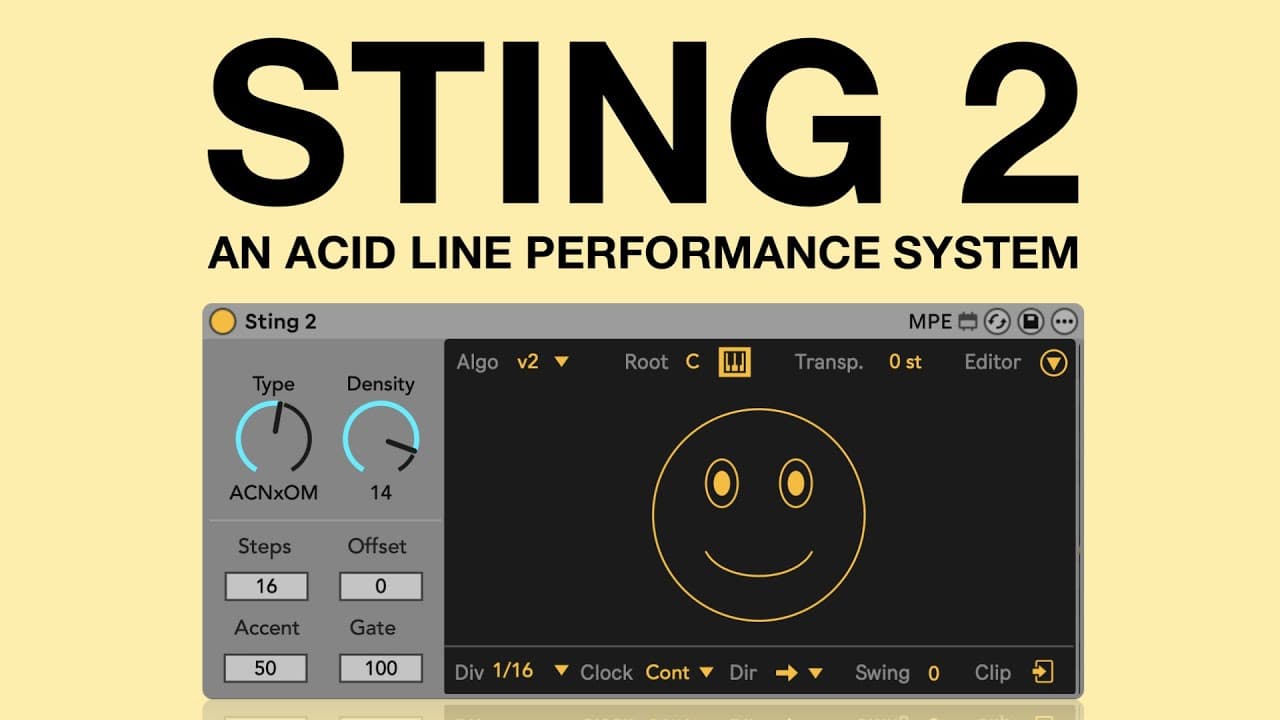
At the heart of Sting 2 is a new pattern generation engine. Clicking the smiley face generates four linked 16-step patterns: notes, velocities, gates, and octaves. These are musically coherent and controllable through just a few dials.
New in version 2:
- V2 generation algorithm - Produces more musical results, especially at lower type values
- Type - Morphs from randomness to acid-style lines
- Density - Controls how busy the pattern is
- 256 combinations - Built from 16 variations of four parameters
Users can still switch to the classic V1 algorithm if they prefer the original flavor.
Editing and expression tools
The editor provides full step-by-step control over note, accent, gate, and octave. For deeper musicality, the expression matrix lets users map aftertouch, velocity, and slide to Sting parameters like density, creating dynamic and reactive sequences.
Additional features include:
- Real-time root control via MIDI
- Global transpose
- Swing and clock divisions
- Jitter for subtle time fluctuations
- MIDI clip export
Generative sequencing and automation
Sting 2’s “Live” section introduces parameter automation and randomness. Users can set how quickly parameters like type and density drift from their values. Jitter adds timing variability, letting patterns feel more human, or unpredictable.
These generative features allow users to move between precision and chaos depending on their needs.
Push 3 standalone integration and takeover mode
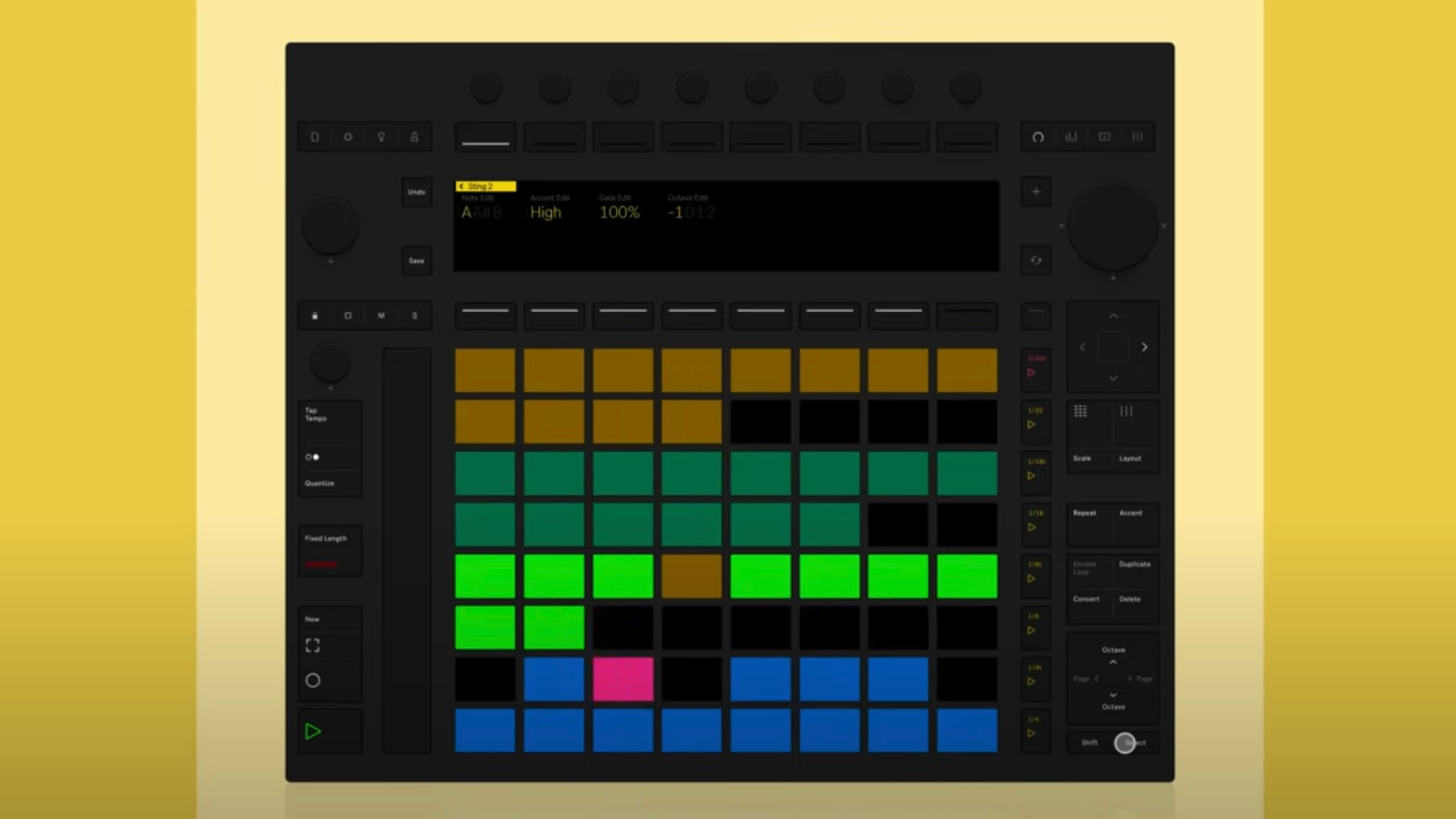
Sting 2 turns Push 3 (either connected or standalone) into a full acid performance interface. Its unique takeover mode allows full control without touching the computer:
- Yellow pads - Sequence type
- Green pads - Density
- Pink pads - Sequence length
- Lower rows - Chromatic root note control
Users can generate patterns, edit steps, transpose, convert to MIDI, and chain sequences, all from Push. Sting 2 supports up to 8 sequence memories and allows chaining them into performable loops. Takeover mode also supports fine-grained control via Shift and Select modifiers.
What's new in Sting 2.05
Responding quickly to community feedback, Iftah released Sting 2.05 shortly after launch, bringing three much-requested features.
Scale awareness
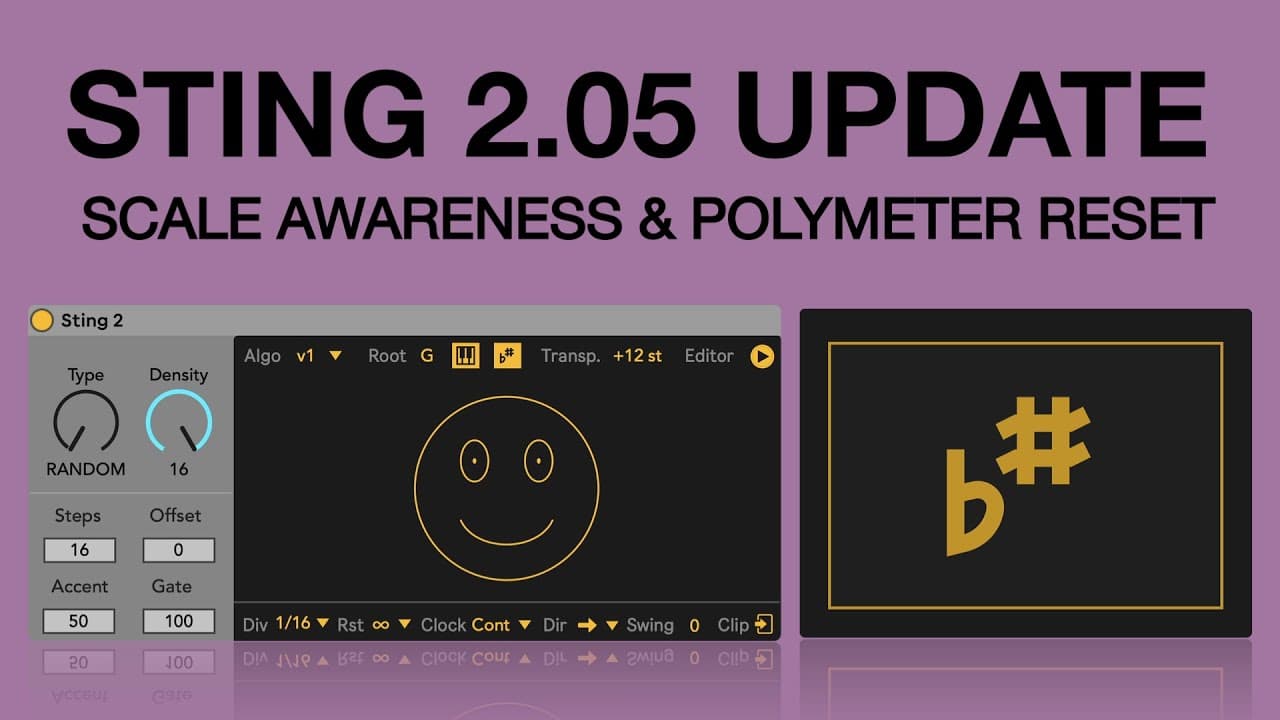
Sting now quantizes sequences to Ableton Live’s global scale, making it easier to stay in key with other tracks.
Polymeter reset
A new “Poly Reset” menu allows users to define after how many bars odd-step sequences should reset. For example, a 7-step pattern with a 1-bar reset will loop every 7/4, creating polyrhythmic grooves.
Push takeover modes
Users can now choose when Push takeover is active:
- Device - Only when the Sting device is selected
- Track - When the track is in focus
- Always - Persistently active